I Made The Switch
I Switched To Mac - AppleCare, yes or no?
When buying any type of hardware from Apple, you are faced with a dilemma: should you get AppleCare or not?
In general, it’s bad advice to take out insurance for things you can afford to replace. So AppleCare for an iPod Nano is always a bad bet. Mac Hardware tends to be very expensive, but what you may not realise is this: so are the repairs!
I’ve seen my share of computer problems and I can tell you the thing most likely to fail at any point is the hard disk. Apple don’t build their own, they get them from Samsung, Western Digital or whoever is left that makes them. A harddisk in a Mac is as likely to fail as it is in a PC, which is: QUITE likely. (This may get better now that we are moving to solid state disks, though: no moving parts.)
Case in point: I have a mid-2010 27” iMac. The harddisk on that model, manufactured by Seagate, was recalled. Apple replaced it for free. And because I had Applecare, I also mentioned a brownish splotch on my screen, top left. I didn’t notice it for months because I tend to stick with the same desktop background image for ages. But once I noticed it, it was quite clearly visible. Apple replaced the harddisk and the screen for free. (They’d have done the harddisk anyway because it was part of the recall, but the screen replacement was thanks to AppleCare.)
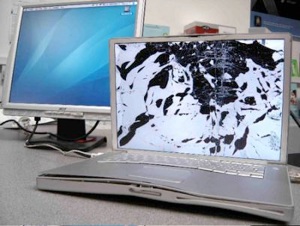
If you Google for Mac hardware problems you’ll find no end of horror stories about imperfect screens, buttons that go bust and motherboards that go ‘poof’. Considering the many millions of Macbooks, iPhones and iMacs shipped per month, it’s no wonder that sometimes they fail. They have, after all, been built by the lowest bidder in China. Still, motherboard failures and other such horrors (videocards, etc.) are very rare. Second to harddisk failure I’d say the humble little CPU-fan is likely to go wrong. A cheap fix for a PC, but not if you can’t open the device!
My feeling is: a device that works well for a year, probably doesn’t have any major errors. HOWEVER, these are Apple products: they can be almost impossible to open. Your iPad 2, for instance, is GLUED shut. Opening a Mac Mini (2007 model) took me an hour. I can’t open up my 27” iMac at all. (Update: the 2011 Mac Mini is very easy to open, I hear. At EUR 599 that would make AppleCare redundant.)
So where, when I was still using PC’s, I could replace any part at will (or open the device to clean the fan, for instance) I can’t really do that with a Mac. The folks at iFixit know exactly how easy it is to open Apple devices, check them out. They have guides for almost any type of repair (or upgrade). You will need to order special tools for most of them, though. For instance, special screwdrivers for ‘Pentalobe’ screws.
The above may prompt you to consider buying AppleCare, which is this:
AppleCare is basically a form of insurance. It covers your hardware for three years from the date of purchase. You also get access to phone support for any and all questions. They’re very good. I’ve never asked them a question, but I did deal with them when my Mac needed a replacement drive and screen.
However, you cannot buy AppleCare AFTER you’ve owned the device for more than 1 year. Buying AppleCare will also ‘reinstate’ free phone support after the first 90 days. (Also: AppleCare for iDevices is 2 years, not 3.)
To check the date when your first year of free warranty runs out, you can use this website: https://selfsolve.apple.com/ You will need your device serial number, but the site explains how to find it. If you didn’t register your device, this won’t work. (You could hold off on registering your kit until it breaks, but Apple will probably want to see proof of purchase before a repair anyway. I wouldn’t try to pull a fast one on them, really. Best to be honest and not try to blame them for something you did.)
AppleCare comes in a few different forms: its not a fixed percentage, but rather there are packages for several groups of devices (iPods and iPhones, iMacs, Notebooks). The packages are very hard to tell apart. They USED to be just a box with a serial number and a CD with some diagnostic software, so people bought AppleCare via eBay and just received the serial number per email. Although this works, Apple has revised this plan recently (somewhere in 2011 I believe) and now it would be wise to have and KEEP the box. You may not even be able to register if your AppleCare-box came from an exotic location, though calling Apple and sending them a copy of your proof of purchase usually fixes this. Also, this means there are OLD and NEW versions of AppleCare floating around, though the old versions are presumably still valid.
AppleCare is VERY expensive. For any iMac it’s currently USD 169 or EUR 179. (Discrimination, I know.) You can, in fact, buy AppleCare in the USA and use it for a device purchased anywhere else in the world. Good luck trying to find someone who will ship you the box though: Amazon won’t do it, you’ll have to find someone on eBay that you trust. Apple Dealers sometimes sell off surplus Apple Care ‘boxes’ since they are obligated to purchase a set number of licenses per month from Apple, that’s where these eBay-folks tend to get their stuff. So if you can find a reliable deal, go for it. If not, you can get it from Apple.
Now, most countries have very good consumer protection laws. After all, a 2000 dollar PC isn’t supposed to fail after a year and three months, or even after two years. If it does, you may not exactly be entitled to a free replacement, but certainly to a very lenient repair bill. Well, you can stuff theory that where the sun don’t shine with Apple! The parts that went into your iMac were custom built for them and therefore SCARCE. They can stick a motherboard in a new machine and charge a fortune for it, so why would they give it away at cost for a repair? Repairs are expensive and you probably can’t or won’t do them yourself. Apple does not design hardware to be easy to fix. For instance, they use custom connectors for standard hardware, for instance. Or special ‘pentalobe’ screws that require special screwdrivers. The latest Macbooks have batteries that are glued into place, ferchrissakes!
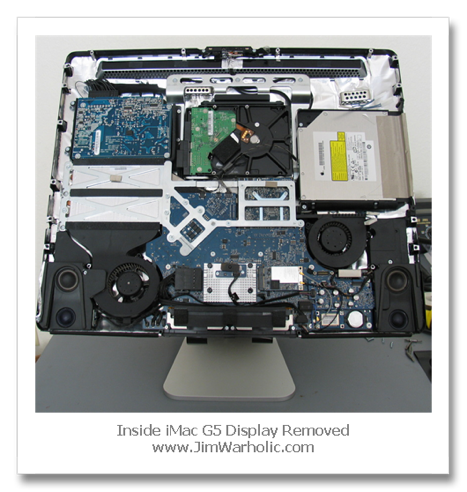
Even if the part is not very expensive (say, a 1 TB harddisk) the technician isn’t and shipping the damned machine to the workshop and back isn’t cheap either. Sure, you could take them to court to get a better deal on a repair, but are you really going to sue Apple? If so, spend your money on a mental health check first.
Even if the part is not very expensive (say, a 1 TB harddisk) the technician isn’t and shipping the damned machine to the workshop and back isn’t cheap either. Sure, you could take them to court to get a better deal on a repair, but are you really going to sue Apple? If so, spend your money on a mental health check first.
Look, you’ve just bought one of the most expensive pieces of hardware out there. You could have bought some piece of shit from Dell or HP or Compaq or Fujitsu-Siemens for less than half the amount but you obviously realise it’s worth the extra cash and not just for the brilliant OS or the free software that comes with it. You’ll come to rely on these machines and gadgets and when the shit hits the fan you will be crying like a baby to get it fixed, NOW. My advice: Get AppleCare for any Apple-device over circa 1000 EURO in value AND for the iPhone. Save up for it if you must, you have one year. But get it. And never use it, probably. But... when the day comes that the AppleStore nearest you is ransacked and looted, make sure you’re in that crowd and steal back what you can from these magnificent bastards that have you by the balls.
Also, AppleCare is transferable so if you sell your stuff on to get the latest model that is a bonus.
Update: I have bought AppleCare from a US seller via eBay for 140 dollars plus 20 dollars for shipping me the box. The seller had many recommendations from others and promptly sent me an email with the registration number so I didn’t even need to wait for the box to be shipped to the Netherlands. Instructions in his mail were clear. I saved myself circa 57 euro’s here: 160 dollars (104 euro) vs 161 euro which was the lowest price I could find via a Dutch retailer. Processing the AppleCare agreement by Apple took a few minutes. It helps to get familiar with the Apple selfservice website beforehand (see link elsewhere on this page.) Check eBay often, offers can come and go daily. I’ve had to call on Apple using this AppleCare plan and there was no problem with it, it was legitimate.